Like everything we do, Matic Cues was engineered with a privacy-first approach, and as always, you have complete control.
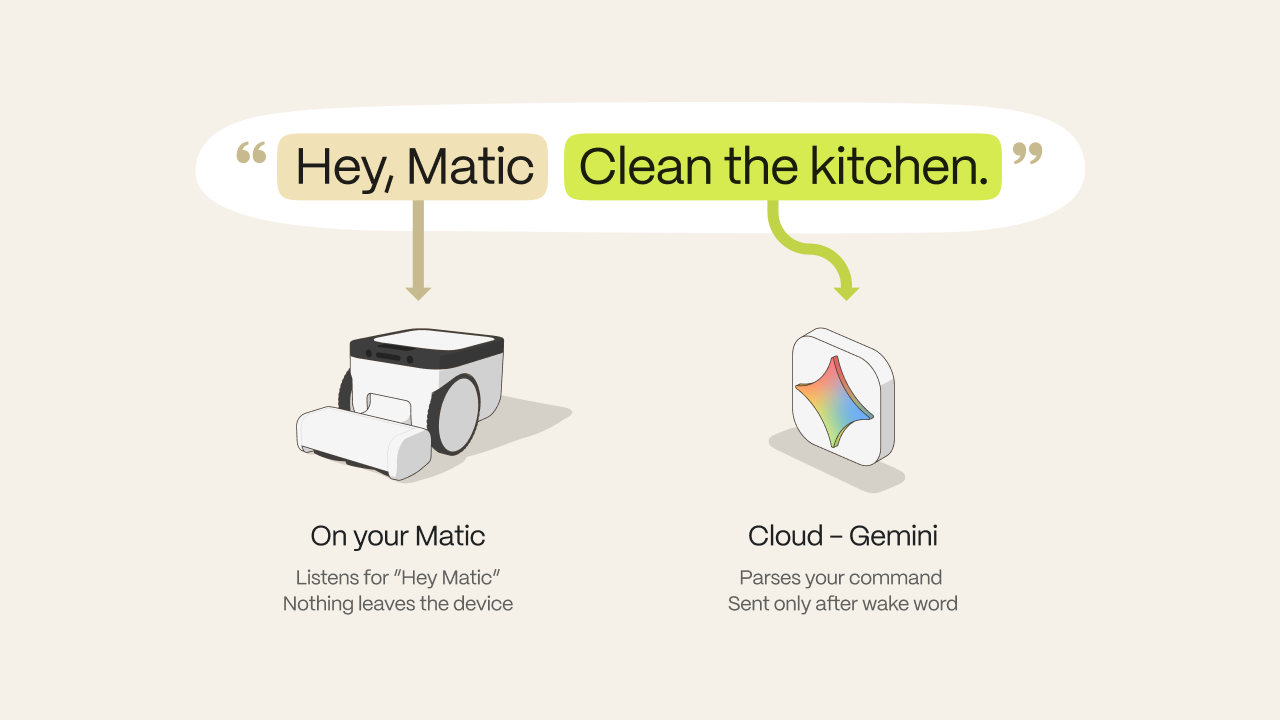
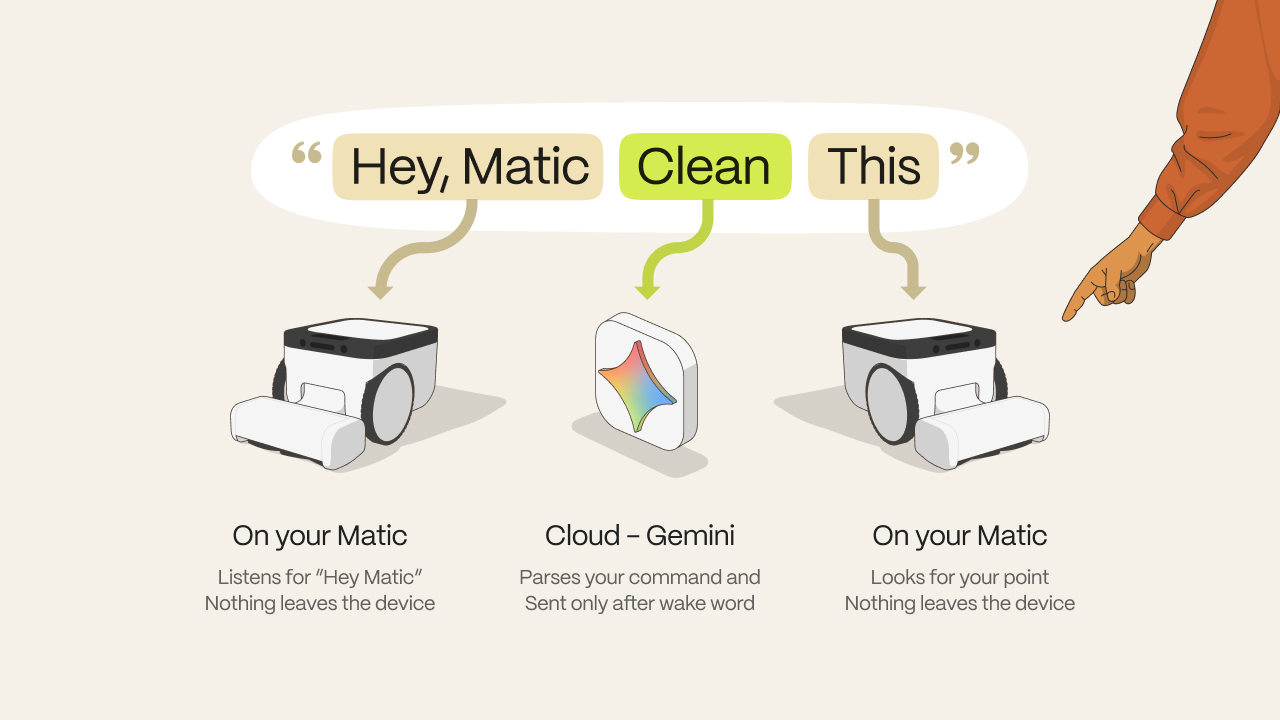
With Matic Cues, Matic now responds to your voice and gestures. "Hey Matic" wake word detection is entirely on-device, so nothing is going to the cloud in terms of ambient sounds from your home. The gestures are all detected on the device as well. No camera data leaves your robot. Once you say "Hey Matic" and you hear a chime, you can give a command. This command is parsed anonymously using the Gemini API. No user information is sent to this API. If you don't want to use Matic Cues, you can easily turn it off in the settings, and the microphones turn off.
We chose to build it this way because it enables 70+ languages and many commands. Once we get an understanding of the top commands used, we will distill a smaller on-device model for those who do not want to use the Gemini API.
Here’s how it works:
We use four different models for Matic Cues. Three of the models run on the edge device, on your Matic and process all the data locally:
The wake-word model that hears "Hey Matic"
The direction-of-arrival model that works out where your voice came from and turns towards you
The gesture model that detects you, your hand, and your fingers when you show the mess and say “clean this.”
The fourth model that parses the command in 70+ languages is the Gemini.
4. We anonymously send the Gemini model your command — the audio captured after you hear the first chime — and it sends the parsed information back to us. That's it, that's the extent of the cloud usage.
And we're working on an on-device-only model for parsing the commands as well. However, before we ship that, we want to understand what the top 20 or 30 most-used commands are, as this model will likely be limited to those top commands, and potentially just one language: English.
Voice is off until you turn it on
By default, the microphones on your robots are off, and nothing described above happens until you explicitly opt-in to try Matic Cues. When you are first prompted to try “Matic Cues,” if you tap on the “I want to try” button, it acts as an opt-in and turns on microphones on your Matic. You can always toggle it off again at any time in settings.
"Hey Matic" happens entirely on the robot.
Once you turn on Matic Cues, Matic listens for exactly one thing: the wake word: “Hey Matic.” Audio is analyzed in the moment via an on-device model and immediately discarded regardless of whether we heard the wake word or something else. Nothing is recorded, stored, or sent anywhere. The everyday ambient sound of your home never leaves the four walls of your home.
After the wake word
When Matic detects the "Hey Matic" call from you, you will hear a chime. After this chime, it listens for your command and sends it to Gemini API via an encrypted connection.
Video never leaves the robot
For gesture detection, Matic Cues uses the onboard cameras. All of this camera data is processed entirely on the device, so your data is always within the four walls of your homes, and then immediately discarded. Nothing is saved.
Like everything we do, Matic Cues was engineered with a privacy-first approach, and as always, you have complete control.